
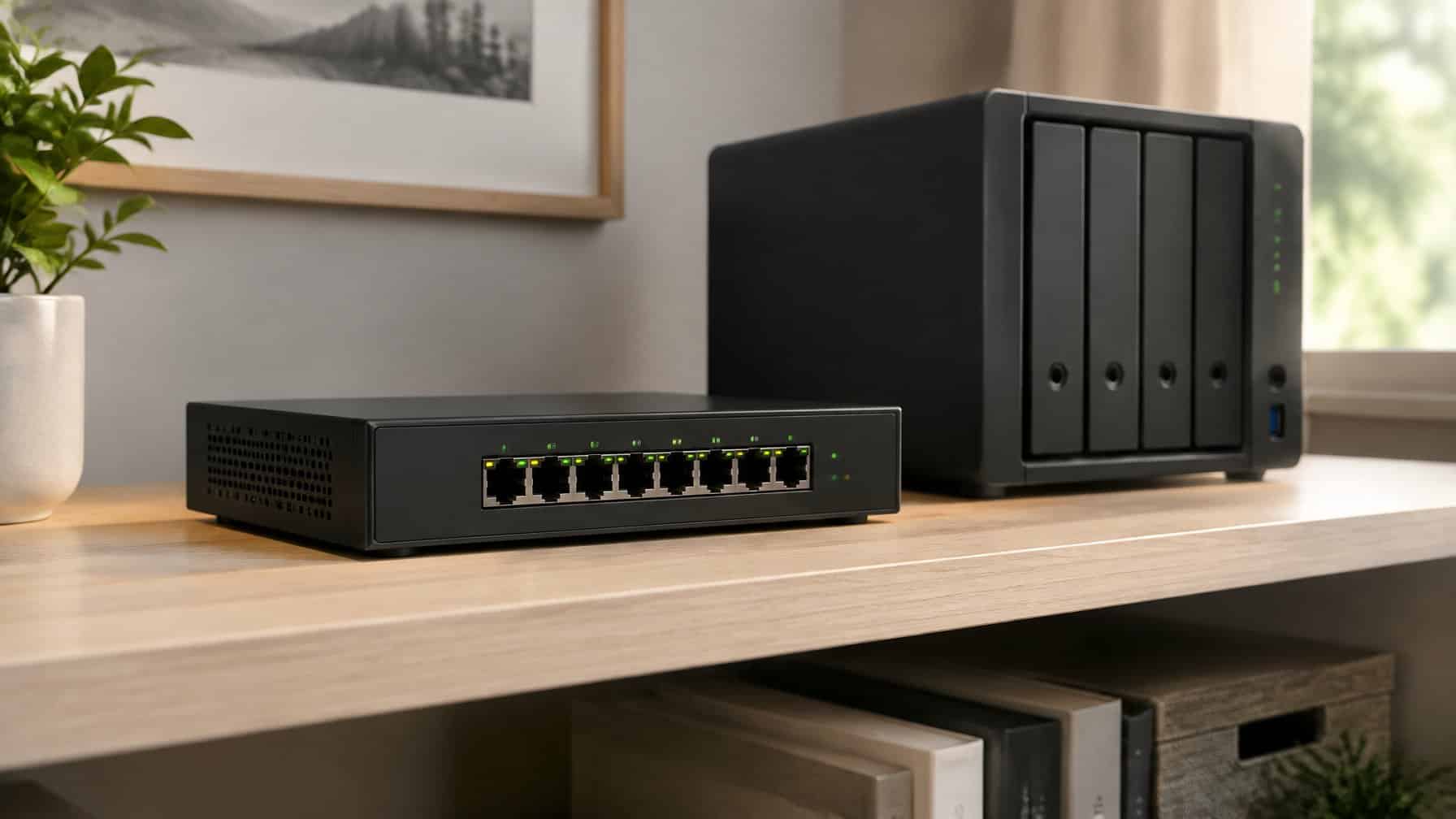
2.5GbE (2.5 Gigabit Ethernet) is a networking standard that delivers 2.5 times the throughput of standard Gigabit Ethernet, allowing data to move across your local network at up to 312 megabytes per second over existing Cat5e or Cat6 cabling.
If your NAS is sitting on the same Gigabit switch it was on three years ago, you are almost certainly leaving transfer speed on the table. For anyone archiving large collections of archival data, public domain assets, or high-resolution media files, that bottleneck shows up fast. A 1Gb link caps local transfers at roughly 115 MB/s in ideal conditions. A 2.5GbE connection pushes that ceiling considerably higher, often reaching 250 to 280 MB/s in real-world use.
The best 2.5GbE switch for a home NAS setup lets you move archival data at speeds your existing Cat5e runs can actually support, without requiring expensive fiber or a full 10GbE infrastructure upgrade.
The good news is that prices on multi-gigabit switches have dropped sharply. What used to cost several hundred dollars is now available for under a hundred in many cases. This guide covers what to look for, which port counts and features make sense for different home setups, and how specific models compare so you can future-proof your network without overspending.
| Switch | Port Count | Key Feature |
|---|---|---|
| TP-Link TL-SG105S-M2 | 5-Port | 25 Gbps switching capacity, fanless metal housing, auto-negotiates 100M/1G/2.5G |
| TRENDnet TEG-S350 | 5-Port | Quiet fanless unmanaged switch for a minimal desk setup |
| D-Link DMS-105 | 5-Port | Unmanaged with IGMP Snooping, QoS, and flow control |
| TP-Link TL-SG108-M2 | 8-Port | Fanless and silent; popular in home lab and NAS setups |
| NETGEAR MS308 | 8-Port | Auto-sensing 1G/2.5G ports, IEEE 802.3az energy efficiency, 3-year warranty |
| BrosTrend 2.5Gb Switch | 8-Port | 40 Gbps switching capacity, lifetime product protection, no SFP ports |
| TRENDnet TEG-S380 | 8-Port | NDAA/TAA compliant, fanless metal housing, wall-mount support |
If you are new to the ecosystem, our Usenet start-here guide covers the basics before you invest in networking hardware.
What Makes The Best 2.5GbE Switch For NAS Use
Picking the right 2.5GbE switch comes down to more than raw port count. Switching capacity, backward compatibility with existing Gigabit devices, and whether the unit runs quietly matter just as much when the switch will be running around the clock next to a NAS.
Why 2.5GbE Is A Practical Upgrade Over Gigabit
Standard Gigabit Ethernet has been the home networking baseline for over two decades. It is adequate for web browsing and light file transfers, but it struggles when you are moving large archival data sets between a NAS and a workstation. A single Gigabit link maxes out around 115 MB/s, which means a 500 GB archive takes over an hour to copy locally.
A 2.5GbE switch running on the same Cat5e cables already in your walls can push that to 250 MB/s or beyond. That cuts transfer time significantly without requiring new cabling infrastructure. As noted in a practical multi-gig overview from NAS Compares, 2.5GbE has become accessible at nearly every price point, making it a realistic upgrade rather than an enthusiast-only option.
How Multi-Gig Speeds Help Archival Data Transfers
For data hoarders, local transfer speed is everything. When ingesting new drives full of public domain assets, or when doing a full backup from one NAS to another, a 2.5G ethernet switch turns what used to be an overnight job into a two-hour task. The difference is not marginal.
Multi-gigabit Ethernet also helps when multiple devices access the NAS simultaneously. With only a Gigabit uplink, two workstations pulling data at once split that 115 MB/s ceiling. A 2.5GbE connection gives each client more headroom before they start competing. A multi-gigabit ethernet switch also reduces the likelihood that your switch fabric becomes the limiting factor rather than your drives.
When 2.5GbE Is Better Value Than 10GbE
10GbE is genuinely fast, but it carries a meaningful cost premium for both the switch ports and the network interface cards required in your devices. The heat output and power draw of 10GbE switches are also noticeably higher. For a home NAS setup where drives are the actual bottleneck rather than the network, 2.5GbE hits the sweet spot.
A 2.5G Ethernet switch typically runs cool and fanless, draws under 10 watts, and costs a fraction of an entry-level 10GbE unit. Unless your NAS uses NVMe-based storage that can saturate a 2.5Gb link, 10GbE is usually overkill for a home archive environment.
Key Buying Factors Before You Choose
Understanding the spec sheet on any 2.5GbE switch requires knowing which numbers actually affect day-to-day NAS performance and which are mainly marketing. Port count, RJ45 compatibility, switching capacity, and thermal management are the four pillars worth examining before committing to a purchase.
Port Count And Whether 5 Or 8 Ports Is Enough
A 5-port model covers a minimal but workable setup: one NAS, one main workstation, one Wi-Fi 6 access point, and two spare ports. That works fine for a single-room archive station.
An 8-port 2.5Gb switch is worth the modest price difference if you run a dedicated backup machine, a second workstation, or any home lab equipment alongside your NAS. Running out of multi-gig ports forces you to either daisy-chain switches (which introduces latency) or leave devices on slower Gigabit segments. Buying one extra port tier up front is almost always worth it.
RJ45 Compatibility, Cabling, And Existing Cat5e Runs
One of the most underappreciated advantages of 2.5GbE is that it runs on the same Cat5e copper cabling that most homes already have. The 2.5GBASE-T standard was specifically designed to work over existing runs up to 100 meters. You do not need to pull new cables through walls.
All of the 2.5G RJ45 ports on reputable switches auto-negotiate downward to 1G or 100M as well. That means legacy devices like older printers or 1GbE-only computers connect without any manual configuration. Multi-gig ports are backward-compatible by design, which makes a mixed-device home network straightforward to manage.
Switching Capacity, Jumbo Frames, And Real Throughput
Switching capacity tells you how much aggregate data the switch fabric can handle before it becomes the bottleneck. A 5-port model with 25 Gbps of switching capacity is non-blocking, meaning all ports can theoretically run at full 2.5Gbps simultaneously without internal congestion. An 8-port unit should have at least 40 Gbps of capacity to stay non-blocking.
Jumbo frames (typically 9,000 bytes) reduce CPU overhead during large file transfers by sending bigger data packets. Not all unmanaged switches support them, but many do. If your NAS supports jumbo frames and you transfer large archival data sets regularly, this feature is worth confirming before purchase.
Noise, Heat, Power Draw, And Build Quality
A NAS switch that runs continuously should be fanless. Fan noise in a quiet home office or server closet adds up, and fans are the most common mechanical failure point in networking hardware. Nearly all current consumer-grade 2.5GbE switches use passive cooling with a metal chassis that acts as a heat sink.
Silent operation does not mean zero heat. Placing the switch in an enclosed cabinet without airflow can cause thermal throttling. A durable metal casing helps dissipate heat passively. Energy-Efficient Ethernet (IEEE 802.3az) support further reduces power draw during idle periods, which matters for a device running 24/7.
Managed Vs Unmanaged: Which Fits Your Network
Choosing between a managed and unmanaged switch is one of the first decisions to make, and it has real implications for cost, complexity, and long-term flexibility. The core distinction is simple: an unmanaged switch does the job automatically, while a managed switch lets you control how it does it.
When An Unmanaged 2.5Gb Switch Is The Better Choice
An unmanaged switch is the right call for most home NAS users. As Cisco explains in their overview of managed versus unmanaged switches, an unmanaged ethernet switch is designed to just plug in and run with no settings to configure. For a straightforward archive setup with a single NAS, one or two workstations, and a router uplink, there is nothing to configure and no reason to pay for management features.
An unmanaged 2.5Gb switch also costs noticeably less. That price difference can go toward a better NAS drive or a UPS instead.
When A Managed 2.5Gb Switch Is Worth Paying For
A managed 2.5Gb switch earns its higher price when your home network involves traffic isolation, multiple device types that should not talk to each other, or when you want precise control over how bandwidth is allocated. If you run a home lab with both trusted and untrusted devices, or if you want to segment your NAS traffic from general internet traffic, a managed ethernet switch gives you the tools to do that.
A managed switch also becomes more relevant as the number of devices grows. According to a comparison from TechTarget, managed switches let users adjust each port individually, enabling detailed control over network behavior that an unmanaged unit simply cannot provide.
Useful Features Like VLAN Support, IGMP Snooping, And Link Aggregation
VLAN support lets you logically separate traffic on the same physical switch. For a home archivist, this might mean isolating NAS traffic from general household internet use, which improves both performance predictability and security.
IGMP snooping reduces multicast traffic flooding by ensuring that multicast streams only go to ports that have requested them. This matters if you use media streaming across the local network. Link aggregation (often called LACP or 802.3ad) lets you bond two physical ports into a single logical connection for higher aggregate throughput between your NAS and switch, useful if your NAS supports dual-port bonding.
Recommended Switch Types For Common Home Setups
Not every home archive setup is the same. The right switch depends on how many devices you are connecting, how often you transfer large volumes of data, and whether you plan to expand your setup later.
Best Fit For A Single NAS And One Main Workstation
A compact 5-port unmanaged 2.5GbE switch is the cleanest fit for this scenario. You get dedicated multi-gigabit links to both the NAS and the workstation, with ports remaining for a router uplink and a Wi-Fi access point. The simplicity is a feature: no management overhead, no configuration, low power draw.
This setup is also the most budget-friendly entry point into multi-gigabit networking. For a data hoarder just starting to move archival data at faster speeds, it covers the essential workflow without unnecessary complexity.
Best Fit For Multi-Device Backup And Editing Desks
An 8-port 2.5Gb switch is the practical choice when you have two or more workstations, a dedicated backup machine, and a primary NAS all needing multi-gig connections. The extra ports prevent you from being forced to choose which devices get fast access.
If you are pulling archival data from a NAS to an editing workstation while a second machine runs scheduled backups, you will feel the benefit of having enough ports for everyone to operate at full 2.5Gbps simultaneously.
Best Fit For Mixed Networks With Wi-Fi 6 APs And Desktops
Wi-Fi 6 access points increasingly ship with 2.5GbE uplink ports. Connecting them to a multi-gigabit ethernet switch eliminates the Gigabit bottleneck between the AP and the rest of the network, which matters when multiple wireless clients are hammering a NAS at once. A future-proof network treats the AP connection with the same priority as a wired workstation.
A 5 to 8-port 2.5GbE switch handles a typical mixed setup: NAS, AP, two or three wired desktops, and a router link. The auto-negotiating ports handle any remaining Gigabit-only devices without configuration.
Best Fit If You Want Expansion Headroom Later
An 8-port model with a 10G SFP+ uplink port is worth considering if you anticipate adding more NAS units, moving to a faster router, or eventually bridging two switches with a high-speed backbone link. The SFP+ uplink does not help today if nothing else in the setup is 10G-capable, but it future-proofs your network investment without requiring a full switch replacement later.
Alternatively, choosing an 8-port managed 2.5Gb switch now gives you the option to enable link aggregation, VLANs, and QoS policies as your setup grows, even if you do not use those features immediately.
Notable Models And Feature Patterns To Compare
Several specific models stand out across different use cases and budgets. Knowing their feature patterns helps narrow the decision rather than treating all 2.5GbE switches as interchangeable.
Compact 5-Port Options Like TP-Link TL-SG105S-M2, TRENDnet TEG-S350, And D-Link DMS-105
The TP-Link TL-SG105S-M2 is one of the most straightforward options in the 5-port category. Five 2.5G ports, a 25 Gbps switching capacity, fanless metal housing, and plug-and-play operation. It auto-negotiates across 100M, 1G, and 2.5G, making it compatible with existing devices without any setup. Works on Cat5e cabling.
The TRENDnet TEG-S350 follows a similar profile with 5-port 2.5GBASE-T connectivity and quiet fanless operation. It is a reliable unmanaged option for a minimal desk setup.
The D-Link DMS-105 adds IGMP Snooping, QoS, and flow control features that most unmanaged switches skip. It is technically still an unmanaged ethernet switch, but those built-in behaviors make it a stronger performer for mixed-use local networks with multiple device types.
8-Port Choices Like TP-Link TL-SG108-M2, NETGEAR MS308, BrosTrend 2.5Gb Switch, And TRENDnet TEG-S380
The TP-Link TL-SG108-M2 is a well-regarded 8-port 2.5GbE switch that runs fanless and silent. It is a common choice in home lab and NAS-focused discussions and suits setups with multiple workstations and a primary NAS.
The NETGEAR MS308 offers 8 auto-sensing 1G/2.5G ports with IEEE 802.3az energy-efficient Ethernet support and a three-year warranty. Its build quality is consistent, and it handles daily NAS workloads without throttling.
The BrosTrend 2.5Gb Switch delivers 8 full 2.5G RJ45 ports and 40 Gbps of switching capacity with lifetime product protection. It skips SFP ports entirely, keeping the setup simple and avoiding the cost of fiber modules.
Get the BrosTrend 2.5Gb Switchi
The TRENDnet TEG-S380 rounds out the 8-port category with NDAA and TAA compliance, fanless metal housing, and wall-mount support, making it a fit for anyone who wants regulatory assurance alongside solid 2.5G performance.
When To Consider PoE, SFP+, Or A 10G SFP+ Uplink
PoE (Power over Ethernet) is worth adding to the list if your setup includes IP cameras, wireless access points, or other devices that draw power from the network cable. Most standard 2.5GbE switches aimed at home use do not include PoE, so it narrows the model options considerably and raises the price. Know whether you need it before committing.
A 10G SFP+ uplink port is useful if you want a fast backbone connection to a second switch, a 10G-capable router, or a NAS with an SFP+ port. It does not improve speed between standard 2.5GbE ports on the same switch, but it expands the architecture. If nothing in your current setup is 10G-capable, this feature can wait.
Setup Tips For A Faster And Safer Archive Network
Getting a new 2.5GbE switch running is straightforward for an unmanaged model. Still, a few placement and configuration decisions at setup time make a measurable difference in long-term reliability and actual measured transfer speeds.
Placement, Cooling, And Silent Always-On Operation
Fanless switches depend on passive airflow to stay cool. Do not stack them in a closed cabinet with no ventilation, and avoid placing them directly on top of other heat-generating equipment. A small shelf with a few centimeters of clearance on all sides is sufficient.
Silent operation is one of the main selling points of these units, so placement in a bedroom office or living room NAS setup is practical. Keep the switch away from direct sunlight and heat vents. Most units are rated to operate reliably at ambient temperatures up to around 40 degrees Celsius, which covers typical indoor environments without a problem.
Basic Network Segmentation And Lightning Protection Considerations
Even with an unmanaged switch, basic network segmentation is achievable at the router level. Many home routers support guest VLANs or firewall rules that can separate NAS traffic from general internet devices without requiring a managed ethernet switch.
Lightning protection is often overlooked in home archive setups. A quality surge protector or UPS between the wall outlet and your switch and NAS protects against power spikes that can permanently damage networking hardware. This is especially relevant for setups in areas prone to electrical storms.
How To Validate Transfer Speeds After Installation
After wiring everything up, confirm that the link is actually negotiating at 2.5Gbps. On Windows, check the adapter status in Network and Sharing Center; it should read 2.5 Gbps if both ends support it. On Linux, use ethtool to verify the negotiated speed.
Run a large file copy from a workstation to the NAS and watch the sustained transfer rate. A 2.5GbE connection with spinning drives should consistently reach 150 to 250 MB/s depending on drive speed. An NVMe-cached NAS can push higher. If speeds look closer to Gigabit maximums, double-check that the NIC in your workstation is a 2.5GbE adapter, not a standard Gigabit card.