
What is a Usenet newsreader? A Usenet newsreader, also known as a Usenet client, is a specialized software program required to connect to Usenet servers. It allows users to browse newsgroups, read text posts, and access binary articles using NZB files.
If you want to access the world’s oldest decentralized network, you cannot just open Google Chrome. You need a dedicated Usenet newsreader.
A newsreader acts as the bridge between your computer and the massive server farms operated by your Usenet provider. Whether you are looking to read text-based discussions or automate massive binary downloads for your media server, choosing the right client is critical.
In this guide, we will break down the top 7 best Usenet clients available today, ranging from completely free open-source software to premium all-in-one solutions.
| Client | Type | Price | Best For |
|---|---|---|---|
| SABnzbd | Binary / NZB Downloader | Free (Open Source) | Automated media servers and data archivists |
| NZBGet | Binary / NZB Downloader | Free (Open Source) | Raspberry Pi, NAS devices, and older computers |
| Easynews | Web-Based All-in-One | Included with Subscription | Beginners and mobile users |
| Newshosting Newsreader | Desktop All-in-One | Included with Newshosting Subscription | Users who want integrated search without needing indexers |
| Mozilla Thunderbird | Text Newsreader | Free | Reading traditional discussion groups and public servers |
| Newsleecher | Binary / NZB Downloader with Built-In Search | Paid (Free Trial Available) | Users who want an all-in-one client with a search engine included |
| Forte Agent | Newsreader / Email Client Hybrid (Text & Binary) | $29 single license (30-day free trial available) | Archivists who want manual, header-first browsing instead of automated downloading |
The Difference Between Text and Binary Newsreaders
Before downloading a client, you need to know what you plan to do on the network:
- Text Newsreaders: These are designed for reading and posting text messages in discussion groups (similar to old-school forums or email chains). Programs like Mozilla Thunderbird excel at this.
- Binary Newsreaders (NZB Downloaders): These are designed specifically to download and archive large binary files. They do not let you “browse” groups; instead, you feed them an NZB file (which acts like a map), and the software automatically downloads and extracts the files.
Note: You cannot use any of these clients without an active subscription to a provider. If you don’t have one yet, check out our guide to the best Usenet providers.
The 7 Best Usenet Newsreader Clients
1. SABnzbd (Best Free Open-Source Client)
SABnzbd is arguably the most popular binary Usenet newsreader in the world. It is completely free, open-source, and runs on your web browser.
It is incredibly powerful and integrates seamlessly with media automation software like Sonarr and Radarr. Once you feed it an NZB file, SABnzbd will download, verify, repair, and extract the files automatically. If you decide to use this client, check out our full guide on how to use SABnzbd for a complete setup tutorial.
- Type: Binary / NZB Downloader
- Price: Free (Open Source)
- Best For: Automated media servers and data archivists.
2. NZBGet (Best for Low-Power Devices)
NZBGet is the primary competitor to SABnzbd. If you aren’t sure which one to choose, you can read our full NZBGet vs SABnzbd comparison.
Because of this, NZBGet is incredibly lightweight and uses very little CPU or RAM. This makes it the absolute best Usenet newsreader to run on low-power devices, such as a Raspberry Pi or a basic Network Attached Storage (NAS) drive.
- Type: Binary / NZB Downloader
- Price: Free (Open Source)
- Best For: Raspberry Pi, NAS devices, and older computers.
3. Easynews (Best Web-Based Client)
If you do not want to deal with downloading, installing, and configuring third-party software, Easynews is the ultimate solution.
Easynews is a premium Usenet provider that includes its own proprietary, web-based newsreader. You simply log into your account via your regular web browser (like Chrome or Safari), search for the file you want, and hit download. There are no NZB files or port configurations required. Read our full Easynews search guide to see the advanced filters in action.
- Type: Web-Based All-in-One
- Price: Included with Subscription
- Best For: Beginners and mobile users.
Ready to try it? Get Easynewsi and search from any browser, no client to install.
4. Newshosting Newsreader (Best Included Software)
If you prefer traditional desktop software but still want an all-in-one experience, the Newshosting Newsreader is fantastic.
When you subscribe to Newshosting, you get free access to their proprietary desktop client (available for Windows, Mac, and Linux). It features a built-in search function, meaning you do not need to use third-party NZB indexers to find files. It also handles file repairs and extractions automatically. This is also our top recommendation as the best Usenet client for Mac, since the desktop app is fully optimized for macOS. Read our full Newshosting Newsreader review for a step-by-step setup walkthrough.
- Type: Desktop All-in-One
- Price: Included with Newshosting Subscription
- Best For: Users who want integrated search without needing indexers.
Ready to try it? Get Newshostingi to use its desktop newsreader on Windows, Mac or Linux.
5. Mozilla Thunderbird (Best for Text Groups)
While most modern users focus on downloading binary files, the original purpose of the network was text-based discussion.
If you want to read and post in traditional text newsgroups, Mozilla Thunderbird (the popular free email client) has excellent built-in support for NNTP (Network News Transfer Protocol). You can subscribe to groups, read threads, and post replies just like an email inbox. Read our full Thunderbird Usenet setup guide for the complete account configuration.
- Type: Text Newsreader
- Price: Free
- Best For: Reading traditional discussion groups and public servers.
6. Newsleecher (Best Classic Veteran Client)
Newsleecher has been around since the early 2000s and remains a capable, if old-school, binary newsreader with a built-in search feature and its own distributed discussion network layered on top of standard Usenet access.
Read our full Newsleecher review to see whether the classic client still holds up against modern alternatives.
- Type: Binary / NZB Downloader with Built-In Search
- Price: Paid (Free Trial Available)
- Best For: Users who want an all-in-one client with a search engine included.
7. Forte Agent (Best for Manual Binary Browsing)
First released in 1994, Forte Agent (now Agent 8.0) is one of the longest-running Usenet newsreaders still in active development. It combines a full newsgroup client with an integrated POP/SMTP email client in one Windows application.
Unlike automation-first tools, Agent is built for hands-on browsing: it downloads headers first, lets you preview binaries and pictures before committing to a full download, and supports multiple news servers with failover. That makes it a strong fit for archivists who want manual control over text newsgroups and binary browsing rather than a queue-based downloader.
- Type: Newsreader / Email Client Hybrid (Text & Binary)
- Price: $29 single license (30-day free trial available)
- Best For: Archivists who want manual, header-first browsing instead of automated downloading.
Another veteran option worth knowing about: our Newsbin Pro review covers a paid, long-running archival client that predates most of the clients above.
How to Secure Your Newsreader
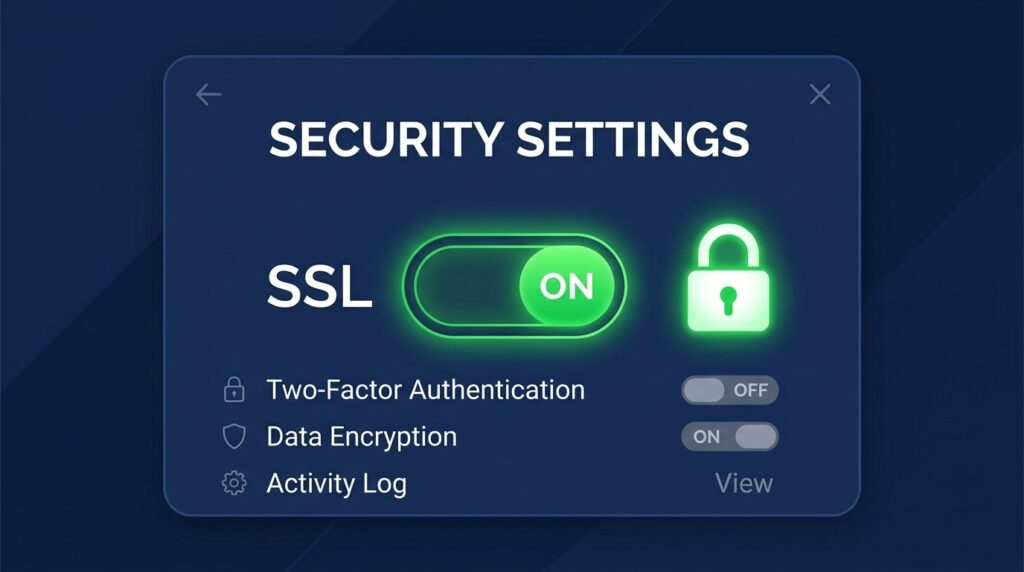
No matter which Usenet newsreader you choose to install, you must configure it securely.
When entering your server details into SABnzbd, NZBGet, or the Newshosting client, always ensure you check the box to Enable SSL Encryption. You will also need to change your connection port from the standard port 119 to a secure port (usually Port 563).
SSL ensures that your Internet Service Provider cannot see the files you are downloading. For maximum security, we highly recommend running a strict no-logs VPN alongside your client. You can read our full guide on how to stay anonymous on Usenet for step-by-step security instructions.
Frequently Asked Questions
Do I need to pay for a Usenet newsreader?
What is the difference between a newsreader and an indexer?
.nzb file. A newsreader is the software program on your computer that opens that .nzb file, connects to the server, and downloads the actual content or file.