

What is the difference between Synology and QNAP? The main difference between Synology and QNAP comes down to software versus hardware. Synology offers a highly polished, beginner-friendly operating system but charges a premium for older hardware. QNAP offers significantly better hardware for the same price, but its operating system has a steeper learning curve.
If you have decided to take control of your data and build a home NAS, you are immediately faced with the biggest debate in the data hoarding community: Synology vs QNAP.
These two Taiwanese companies dominate the consumer and small business Network Attached Storage market. Both brands will safely store your files, back up your photos, and run automated media servers.
However, they take entirely different approaches to product design. It is often compared to the “Apple vs. Windows PC” debate. In this guide, we will compare both brands across four key categories to help you decide which ecosystem is right for you.
| Category | Synology | QNAP |
|---|---|---|
| Operating System | Polished, beginner-friendly DSM software (Winner) | Powerful but more complex QTS software |
| Hardware & Value | Often recycled/older hardware, “Apple tax” pricing | Modern Intel CPUs, NVMe slots, 2.5GbE ports (Winner) |
| Plex / 4K Transcoding | Many premium models use AMD Ryzen (no hardware transcoding) | Easier to find Intel Quick Sync for 4K transcoding (Winner) |
| Security | Conservative approach, fewer vulnerabilities (Winner) | History of ransomware attacks (e.g. Qlocker) |
| Best For | Beginners wanting an appliance that “just works” | Power users wanting the best hardware for the money |
1. Operating System and Software (Ease of Use): Synology vs Qnap
The operating system is how you interact with your NAS. You access it by typing the IP address of the NAS into your web browser.
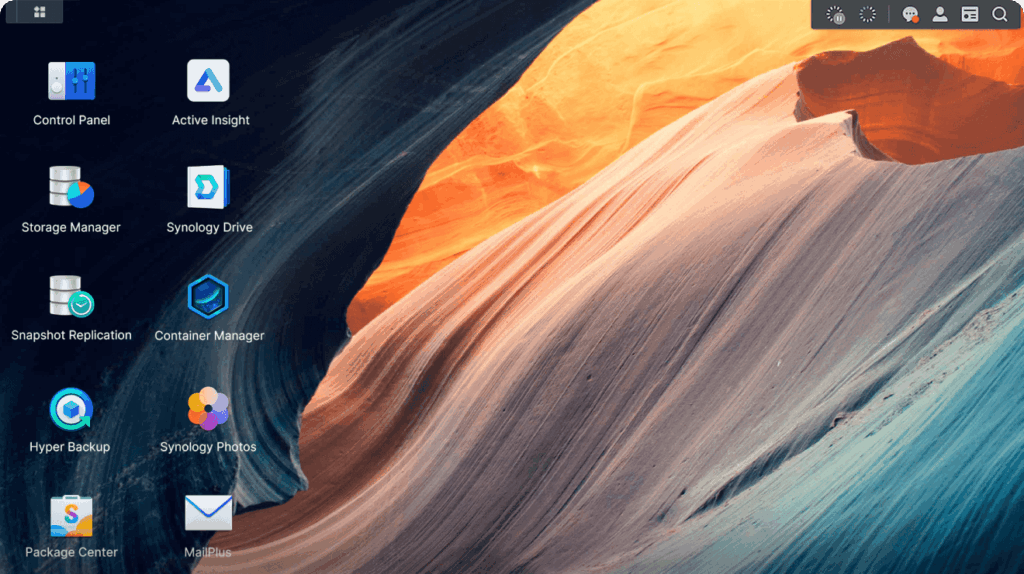
Synology (DiskStation Manager – DSM): Synology’s operating system is widely considered the gold standard of the industry. It looks and acts exactly like a modern Mac or Windows desktop. It is incredibly polished, stable, and bug-free. If you are a complete beginner who just wants to click an “Install” button to set up a media server or a photo backup app, Synology is flawless.
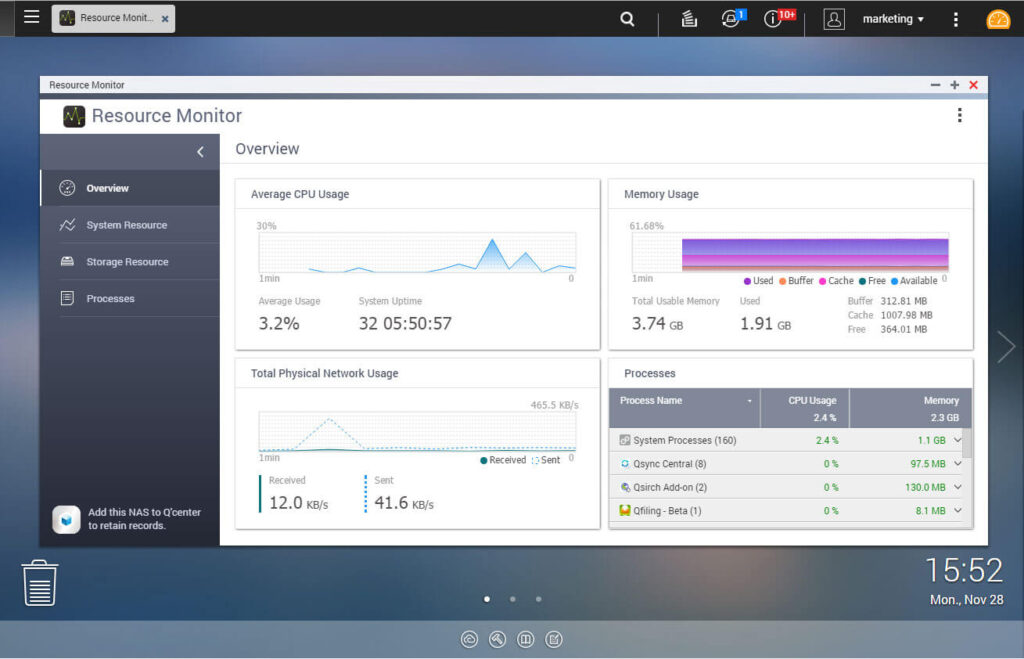
QNAP (QTS): QNAP’s operating system is highly functional, but it feels more like an IT administrator’s tool. It offers significantly more configuration options and deep technical settings than Synology. However, it can feel cluttered and overwhelming for beginners.
Winner: Synology (For beginners and stability).
2. Hardware and Value for Money
This is where QNAP aggressively fights back.
Synology: Synology is notorious for “recycling” older hardware. They often release a brand-new NAS enclosure that features a processor from three years ago and only a basic 1 Gigabit Ethernet (1GbE) port. They charge an “Apple tax”—you are paying a premium for their incredible software, not the physical hardware inside the box.
QNAP: If you compare a $500 QNAP NAS to a $500 Synology NAS, the QNAP will almost always destroy it in a hardware benchmark. QNAP routinely includes modern Intel processors, built-in dual NVMe SSD slots, HDMI output ports, and ultra-fast 2.5GbE network ports for the exact same price as a basic Synology.
Winner: QNAP (For raw hardware power).
3. Plex and Media Server Performance
Most data hoarders use a NAS to run Plex or Jellyfin alongside Sonarr and Radarr.
To stream 4K video smoothly to older devices, your NAS requires a processor with “Hardware Transcoding” capabilities (specifically, Intel Quick Sync).
Because QNAP offers better hardware for the price, it is generally much easier to find a budget QNAP NAS with an Intel processor capable of 4K transcoding. Synology has recently frustrated the community by switching many of their premium models (like the DS923+) to AMD Ryzen processors, which do not support Plex hardware transcoding out of the box.
(Note: If you already own a NAS with a weak processor, you can bypass this issue by building a dedicated Intel Mini PC Plex Server to handle the heavy lifting).
Winner: QNAP (For built-in 4K transcoding).
4. Security and Vulnerabilities
Because a NAS holds your most precious data, security is paramount.
Historically, QNAP has suffered from several severe ransomware attacks (such as the “Qlocker” malware). Because QNAP pushes out cutting-edge hardware and features so quickly, their software has historically had more vulnerabilities.
Synology takes a much slower, more conservative approach to software development. While this means you wait longer for new features, their operating system is generally considered much more secure and less prone to zero-day exploits.
Winner: Synology
Conclusion: Which Should You Buy?
Choose Synology If:
You are a beginner, you want an appliance that “just works” without any tinkering, and you prioritize software stability and security over raw hardware specs.
Choose QNAP If:
You are a power user, you want the absolute best hardware (like 2.5GbE ports and HDMI outputs) for your money, and you need a powerful Intel processor for 4K Plex transcoding.
(Reminder: Neither brand includes hard drives! You must purchase NAS-specific drives separately. Read our Seagate IronWolf vs WD Red guide to choose the right ones).